Getting Started
This guide shows you how to access the IPRA request form from your dashboard.
What is IPRA?
IPRA stands for the Inspection of Public Records Act, a New Mexico state law that provides the public with the right to access public records held by government agencies. For more information, see the Overview page.
Access the IPRA Request Form
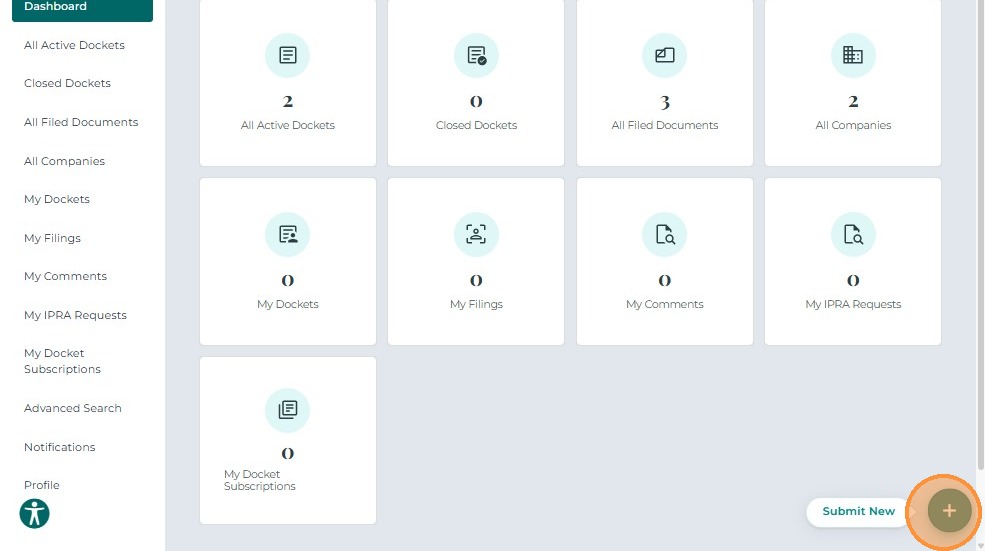
After signing in, click the + Submit New button at the bottom-right corner of your dashboard.
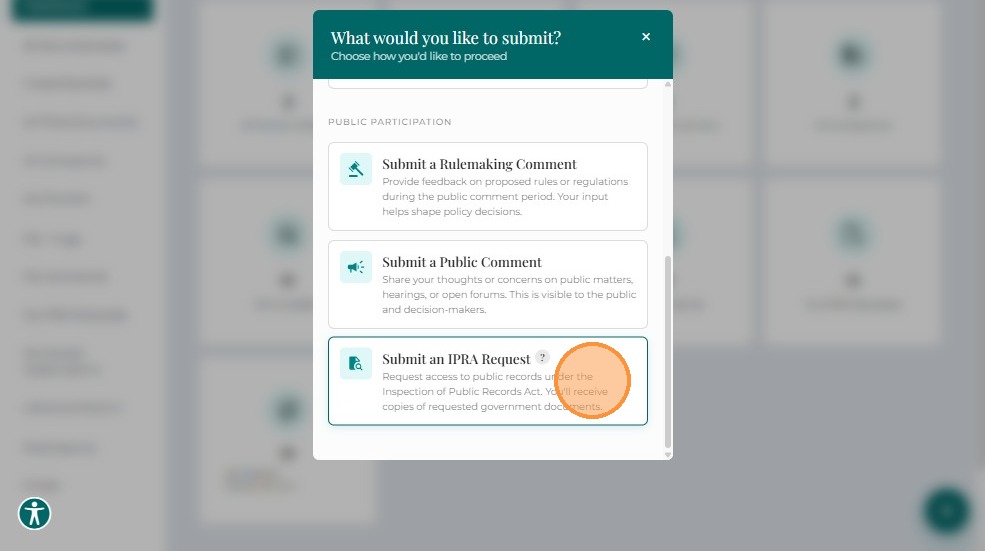
A list of available filing options will appear.
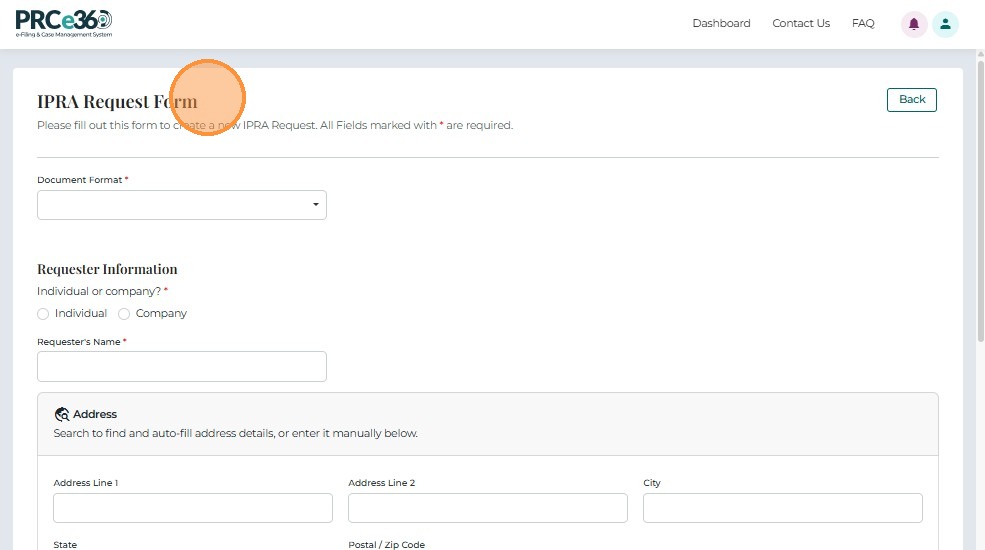
Select Submit IPRA Request to open the IPRA submission form.
Next Steps
Once you've accessed the IPRA request form, proceed to:
- Completing the Form - Fill out all required request details
- Submitting Your Request - Submit your IPRA request
Related Guides
- Submit IPRA Request - Overview - Introduction to IPRA requests
- Dashboard Overview - Learn about the dashboard